How to Create a Landing Page from Your Instagram (2026 Guide)
Your Instagram is curated. Your link-in-bio is a list of buttons. Here's how to build a landing page that actually matches your brand, converts visitors, and works on mobile. The fast way and the manual way.

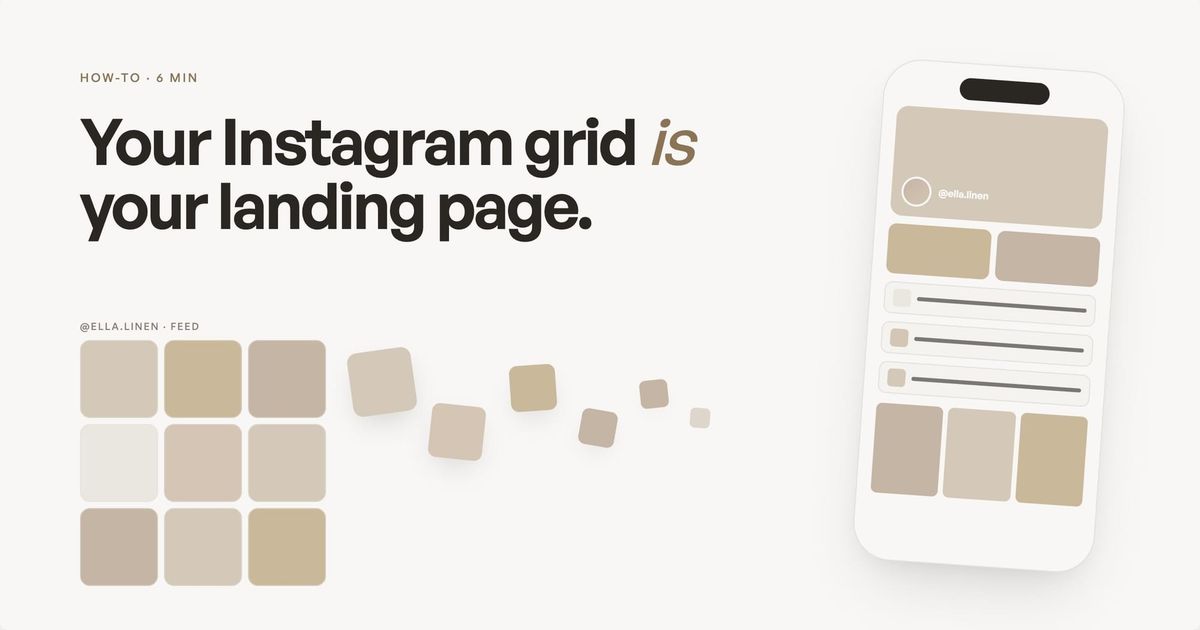
Your Instagram looks incredible. Your link page doesn't.
TL;DR
Here's how to create a landing page from your Instagram in 2026. You have two paths to an Instagram landing page: build one manually (2-8 hours) or generate one from your existing content with AI (30 seconds + 15-20 minutes to customize). Either way, your page needs to load fast on mobile, put your primary CTA above the fold, and match your Instagram aesthetic. Pick one goal for your page before you touch any tool, and test everything in Instagram's in-app browser before going live.
Key takeaways: how to create a landing page from Instagram
- Pick one primary goal before you build: grow your audience, drive revenue, or build credibility. Trying to do all three on one page dilutes every metric.
- Path A (manual): tools like Carrd, Squarespace, or Linktree. Takes 2-8 hours and gives full design control.
- Path B (AI-generated): tools like Coreli pull your real Instagram content into a landing page in roughly 30 seconds.
- Mobile is non-negotiable. Roughly 96% of Instagram traffic is mobile, mostly inside Instagram's in-app browser.
- Add social proof, a lead magnet, and working affiliate links (commission-based product URLs that pay you per sale).
- Refresh your page monthly. A landing page is a living storefront, not a static asset.
You've spent months (years, probably) building an Instagram that feels like you. The color palette is intentional. The grid is considered. Every post reflects your taste, your expertise, the thing you're building.
Then someone taps the link in your bio and lands on... a list of buttons on a white background.
That gap between your curated Instagram and your generic link page? It's costing you. Visitors who felt something on your feed feel nothing on your landing page. They bounce. They don't sign up, don't click through, don't buy.
An Instagram landing page (a mobile-optimized page designed specifically to convert visitors arriving from your Instagram bio link) is different from a link-in-bio tool. It's a mobile-optimized destination designed around a single goal: turning an Instagram visitor into a subscriber, customer, or fan. It carries your visual identity, loads fast in Instagram's in-app browser, and gives people a reason to stay.
Think of it this way: Instagram is the top of your funnel, not the destination. Your landing page is where the relationship actually starts.
What goal should your Instagram landing page focus on?
The biggest mistake creators make with landing pages is trying to do everything at once. Seven links, three platforms, a newsletter signup, a shop, a podcast, a booking form. Too many choices and visitors choose none of them.
Before you touch a single design tool, answer one question: what is the single most important thing you want someone to do after they tap your bio link?
For most creators, it falls into one of three buckets:
- Grow your audience means email signups, Substack subscriptions, community joins. You want their contact info so you can reach them outside of Instagram's algorithm.
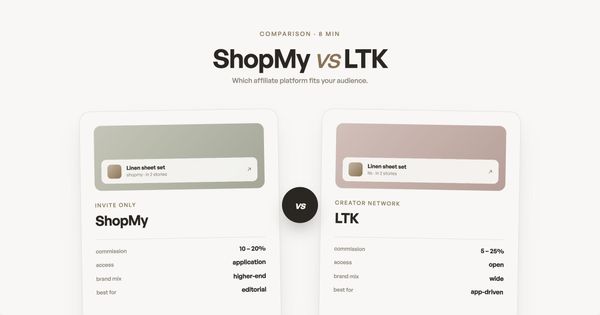
- Drive revenue means affiliate clicks (ShopMy, LTK, Amazon), product sales, course signups. You want them to buy or click something that earns you money.
- Build credibility means press features, portfolio pieces, a brand partnerships page. You want them to see you as a professional worth working with.
Pick one as your primary. Everything else is secondary. Your landing page should make that one action obvious within 3 seconds of loading.
A quick gut check before moving on: can you describe your page's goal in one sentence? "Get visitors to join my weekly newsletter" is clear. "Show people everything I do" is not.
The two paths: build it yourself or generate it from your Instagram
Here's where things get interesting. In 2024, your only option was to build a landing page manually. In 2026, AI tools can generate one from your existing Instagram content in under a minute. Both approaches work. The right one depends on how much time you want to spend.
Path A: Build it manually
You have a few options here, each with tradeoffs:
- Use your existing website. If you already have a WordPress or Squarespace site, you can create a dedicated landing page there. You get full SEO ownership, your own domain, and complete design control. The downside: it takes hours to set up properly, you need to know your way around a page builder, and keeping it updated as your content changes is a manual process.
- Use a landing page builder. Tools like Carrd, Landingi, or ConvertFlow let you build pages from templates without touching code. They're faster than building on your own site, but you're working within their design constraints. Most templates look the same, which means your page ends up looking like everyone else's.
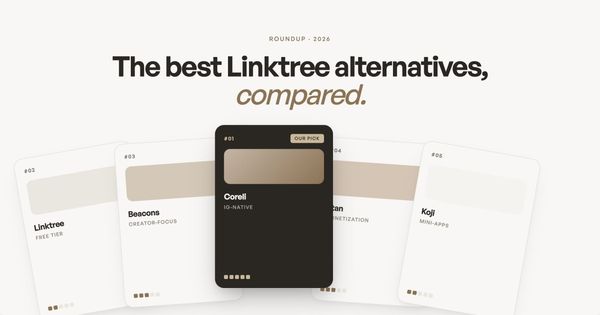
- Use a link-in-bio tool with customization. Linktree, Beacons, and similar tools have improved their design options over the years. But at their core, they're still link aggregators. You can style them up, but the fundamental structure is a list of buttons. If that's all you need, they work fine. If you want something that feels like a real website, they'll hit a ceiling fast.
Path B: Generate it from your Instagram
This is the newer approach, and the one we built Coreli around.
Instead of starting from a blank template and manually adding content, AI-powered tools pull your Instagram posts, captions, aesthetic, and brand voice, then generate an editorial-style landing page automatically. Your photos, your words, your color palette. Not a template. A page that looks like it was designed specifically for you, because it was.
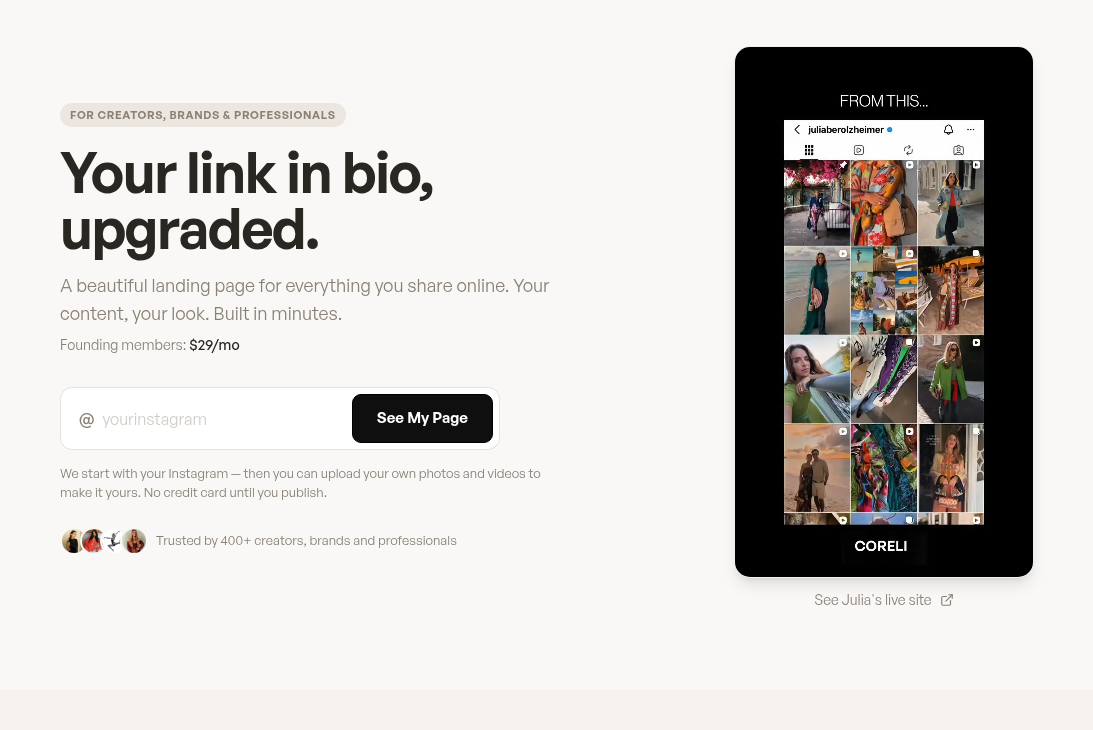
With Coreli, the process works like this: enter your Instagram handle, and the platform analyzes your content, extracts your brand identity, and builds a full landing page with sections for your bio, featured content, reels, links, and more. You can customize every section, lock specific images or videos, reorder your links, and edit copy. But you're starting from something that already looks and feels like your brand, not from a blank canvas.
The time difference is significant. Path A takes anywhere from 2 to 8 hours depending on your design skills. Path B takes about 30 seconds to generate, then 15 to 20 minutes to customize.
What your landing page needs to get right on mobile
Whichever path you choose, your page lives or dies on mobile. The vast majority of your Instagram traffic is coming from a phone (Instagram app usage is roughly 96% mobile), and most of it opens in Instagram's in-app browser, which is slower and more limited than Chrome or Safari.
Here's what matters most, whether you're building from scratch or evaluating what a tool has generated for you:
- Your bio and primary call-to-action need to be visible without scrolling. The first thing someone sees after tapping your link should tell them who you are and what to do next. If they have to scroll to find your newsletter signup or your shop link, you've already lost a chunk of them.
- Buttons need to be big enough to tap easily. The "thumb zone" on a phone screen is the lower-middle area where your thumb naturally rests. Place your most important button there. Make it at least 48px tall. If someone has to pinch-zoom to tap a link, your page isn't mobile-ready.
- Images need to load fast. Instagram's in-app browser is slower than a regular browser. Compress your images. Use modern formats like WebP. Research shows that 53% of mobile users will leave a page that takes longer than 3 seconds to load, and every extra second of delay costs you visitors.
- Visual hierarchy should guide the eye. Your name and photo at the top. Your main CTA prominently placed. Supporting content (reels, links, social proof) below. Clean spacing between sections. No clutter.
If you're on Path A, you'll need to test all of this yourself across multiple devices. If you're on Path B with a tool like Coreli, these are already handled by default: pages are mobile-first, images are compressed and served through a CDN, and the layout is designed around the thumb zone. But it's still worth pulling up your generated page on a couple of different phones to make sure everything looks right with your specific content.
The elements that turn a page into a conversion machine
A pretty page is nice. A pretty page that converts is better. These elements matter regardless of how you build your page:
- Social proof. Testimonials, press mentions, "as seen in" logos, follower counts. People trust what other people trust. If you've been featured anywhere, show it. If customers have said nice things, quote them. Even a simple "Trusted by 10,000+ followers" adds credibility. On Path A, you'll need to design and place these yourself. On Path B, Coreli's editor lets you add social proof blocks to any section of your page.
- A lead magnet. The single most effective way to grow your email list from Instagram traffic is to offer something free in exchange for an email address. A guide, a template, a discount code, a free class. Whether you're building manually or using a generated page, make this exchange feel obvious and valuable. Feature it prominently, not buried below the fold.
- Affiliate links that actually work. If you're monetizing through ShopMy, LTK, or Amazon, your landing page is where those links live. Make sure the links on your page are generated through each platform's official link tool, not copied from old Instagram posts. Stale links can cause attribution issues that cost you commissions. If you want a deeper dive on setting this up properly, check out our guide to affiliate links for Instagram creators.
- Analytics. You can't improve what you don't measure. On Path A, connect Google Analytics or a privacy-friendly alternative to your page. Track which links get clicked, where visitors drop off, and how many convert on your primary goal. On Path B, Coreli includes built-in analytics so you can see traffic and engagement without setting up a separate tool.
What great Instagram landing pages look like
The best way to understand what works is to see the patterns that consistently convert well:
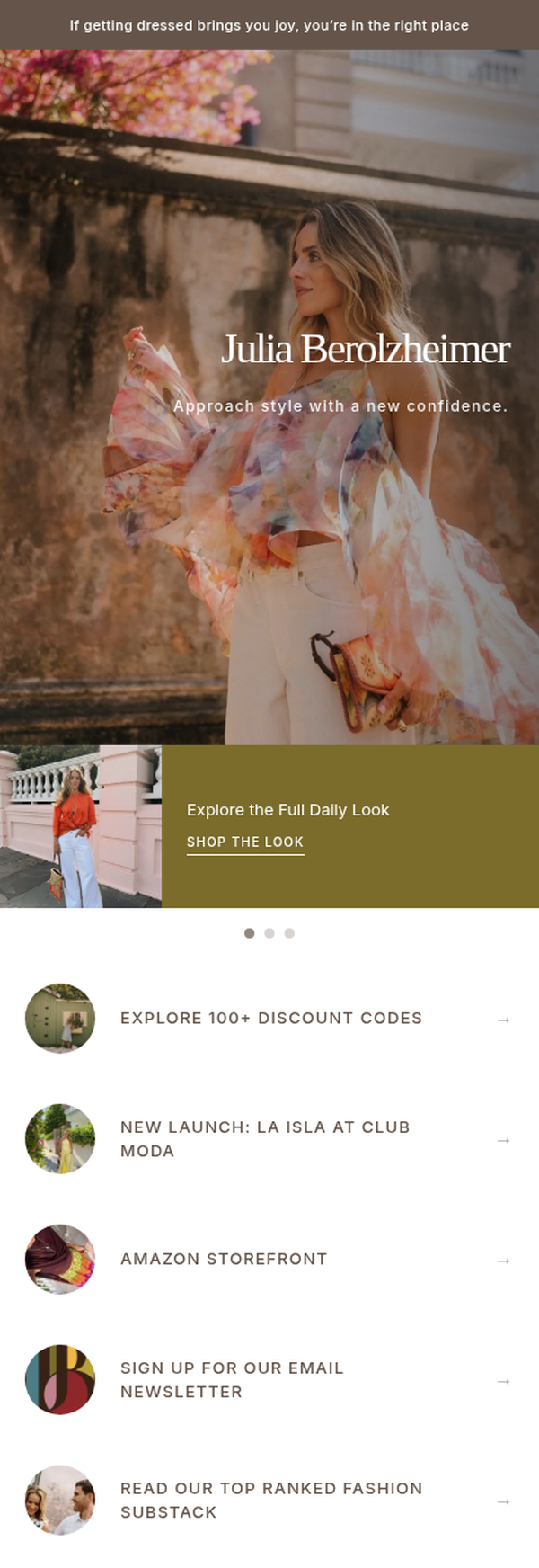
The editorial homepage. A full landing page that reads like a mini-website. A hero section with a strong photo and headline, a featured content grid, a curated links section, and a footer with social links. It feels premium. It's what you'd build if you hired a designer to create a one-page site for your personal brand. This is the approach Coreli takes by default, and it's the hardest to replicate on Path A without design skills.
The minimalist single-CTA. One headline, one button, one goal. Everything above the fold. No scrolling required. This works brilliantly for launches, waitlists, and time-sensitive campaigns. Either path can achieve this, though on Path A it's one of the easier designs to build from scratch.
The content showcase. Built for creators whose primary value is their content itself. A grid or feed of their best posts, reels, or videos, with each linking to its original destination. It mirrors the Instagram grid experience but on your own domain, with your own analytics and your own links. On Path B, Coreli automatically pulls your latest content into a showcase section.
The resource hub. For educators, coaches, and creators who have multiple resources (free guides, courses, podcasts, newsletters). Organized by category, easy to scan, and designed to make each resource feel valuable without overwhelming the visitor. On Path A, this takes the most design work. On Path B, you can customize Coreli's link sections to create this structure.
Going live: your launch checklist
Your page is ready. Before you swap out your Instagram bio link, here's what to check.
If you built manually (Path A)
- Test on three phones. Open the page on your phone, a friend's phone, and at least one Android device if you're on iOS (or vice versa). Instagram's in-app browser renders differently on each platform. Make sure nothing looks broken.
- Connect a custom domain.
yourbrand.comorlinks.yourbrand.comlooks significantly more professional than a third-party subdomain. It also means you own that traffic and the SEO equity that comes with it. - Set up analytics. Google Analytics, Fathom, or Pirsch. Make sure tracking is live before you start sending traffic.
- Compress every image. Run your images through a tool like TinyPNG or Squoosh. Every kilobyte matters on mobile.
- Write a bio that sells the click. Your Instagram bio is the ad for your landing page. Don't just put a link. Give people a reason to tap. "Free guide: 10 ways to style your living room" converts better than "Link below."
If you generated with Coreli (Path B)
- Review your generated page. Coreli builds your page from your Instagram content, but you know your brand better than any AI. Go through each section. Does the bio text capture how you'd describe yourself? Are the right posts featured? Is the order of your links correct?
- Customize your sections. Lock the images and reels you love. Edit any copy that doesn't sound like you. Reorder your links so the most important one is on top. Hide any sections that don't apply to your goals right now.
- Update your Instagram bio. Write a bio line that gives people a reason to tap. Be specific about what they'll find on the other side. "Free guide: 10 ways to style your living room" converts better than "Link below."
- Share your Coreli link. Your page lives at
coreli.ai/yourhandle. Drop it in your Instagram bio, your email signature, your other social profiles. The more places it lives, the more traffic it gets. - Check it on your phone. Your page is already mobile-optimized, but pull it up in Instagram's in-app browser to see exactly what your followers will see. Make sure your content looks right at that size.
Your landing page is a living thing
One last thing. Your landing page isn't a set-it-and-forget-it project. Your content evolves, your offers change, your audience grows. Set a reminder to review it once a month. Update your featured content, swap out expired links, and refresh your CTA if the current one isn't converting.
On Path A, that means opening your builder, making changes, and re-testing. On Path B, Coreli can regenerate sections from your latest Instagram content, so your page stays fresh without starting from scratch.
Real examples: what good Instagram landing pages look like in 2026
Looking at landing pages that actually convert is faster than reading another best-practices list. The pages below illustrate distinct strategies you can borrow from when you create a landing page from your Instagram.
- The portfolio creator: a single hero photo from their feed, a one-line bio, three buttons (latest work, contact, newsletter). Loads in under a second, reads as serious.
- The affiliate creator: a grid of recent product recommendations pulled from their Reels, each linked to ShopMy or LTK, with a top-of-page newsletter signup. Refreshes weekly.
- The educator creator: lead magnet above the fold (free guide, masterclass replay), course tile second, newsletter third. One CTA per scroll, no clutter.
- The multi-hyphenate: identity-led header with name and what they do, then four content rows grouped by outcome (read my writing, take my course, follow my work, work with me).
- The community creator: latest podcast or video at top with autoplay-muted preview, then community link, then everything else.
Notice what's not in any of these: a logo as the hero, a wall of buttons, or a default theme. Pages that win on Instagram look like an extension of the creator's feed, not a generic link list.
How to track Instagram traffic to your landing page
If your goal is to grow revenue, signups, or subscribers, you need to see whether Instagram is actually driving the action. Most landing page tools show clicks, but few show the full visitor journey by default.
- UTM parameters. Add ?utm_source=instagram&utm_medium=bio to your bio link. Most analytics tools will then attribute every visit, signup, and conversion back to Instagram correctly.
- Per-link analytics. Beacons, Stan Store, and Coreli show click counts per link on the free tier. Linktree requires Pro for source-level data.
- Conversion events. If you sell digital products or capture emails, fire a conversion event (Google Analytics, Meta Pixel, or the tool's native event) when the action completes.
- Cohort comparison. Compare visitors who came from Instagram bio vs Instagram Stories vs other sources. The behavior is usually different (Stories visitors are higher-intent).
- Refresh cadence. Check your numbers weekly. If a link goes cold, swap it. If a new content piece spikes traffic, capitalize on the momentum.
Why consistent branding matters when you create a landing page from your Instagram
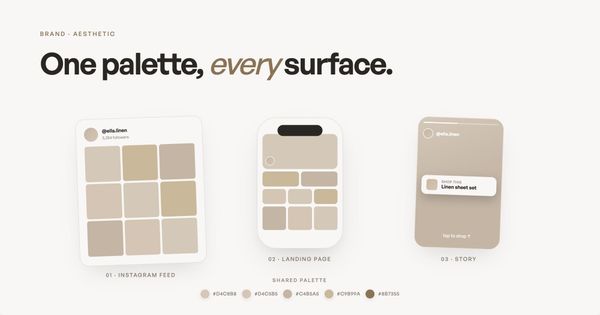
A page that breaks the visual story from your feed loses the warmth your content built. Visitors don't think 'this looks different'; they feel a vague disconnect and become less likely to act.
Three rules cover most of it: use your real photos (not logos or stock), match your color palette (warm grids deserve warm pages), and keep your typography in the same energy zone (a serif-heavy feed pairs with serif page copy, not a default sans). The brain notices coherence in under two seconds.
Frequently asked questions
What is a landing page on a website?
A landing page is a standalone web page designed for a specific outcome, like collecting an email address, selling a product, or routing visitors to multiple resources. Unlike a homepage that serves many purposes, a landing page is built around one primary goal. When you create a landing page from your Instagram, you're building a page optimized for visitors who arrived because they liked your content.
What makes a good Instagram landing page?
A good Instagram landing page is mobile-first (96% of Instagram traffic is mobile), loads in under three seconds, has one primary call-to-action above the fold, uses real photos from your feed as visual anchors, and matches the visual language of your Instagram aesthetic. The page should feel like a continuation of your feed, not a different brand.
How much does it cost to create a landing page from your Instagram?
Free options exist on Linktree, Beacons, and Coreli's free tiers. Carrd starts at $19/year for full design control. Linktree Pro is $15/month. Stan Store, Beacons Pro, and similar all-in-one tools range from $9-99/month depending on features. A custom-built Webflow or Squarespace page can cost $12-30/month plus a domain. Most creators don't need to spend more than $10-20/month to have a page that performs.
How long does it take to create an Instagram landing page?
Building manually with tools like Carrd or Squarespace takes 2-8 hours. AI-powered tools like Coreli generate a page from your Instagram handle in about 30 seconds, plus 15-20 minutes to customize.
What should be above the fold on my landing page?
Your name/photo, a one-line description of who you are, and your primary call-to-action. Visitors should understand what you do and what to click within 3 seconds of landing.
Does my landing page need to work on mobile?
Yes. Roughly 96% of Instagram traffic is mobile, and most visitors open links in Instagram's in-app browser. Your page needs fast load times, large tap targets, and compressed images.
If you've followed the steps above, you now have something most creators don't: a landing page that matches your brand, loads fast, and converts visitors. That's not a link-in-bio. That's a home base. To make sure it actually matches the brand you've built, read why your link in bio needs to match your brand aesthetic. And for the complete strategy from tools to affiliate revenue, check out the complete guide to creator landing pages.